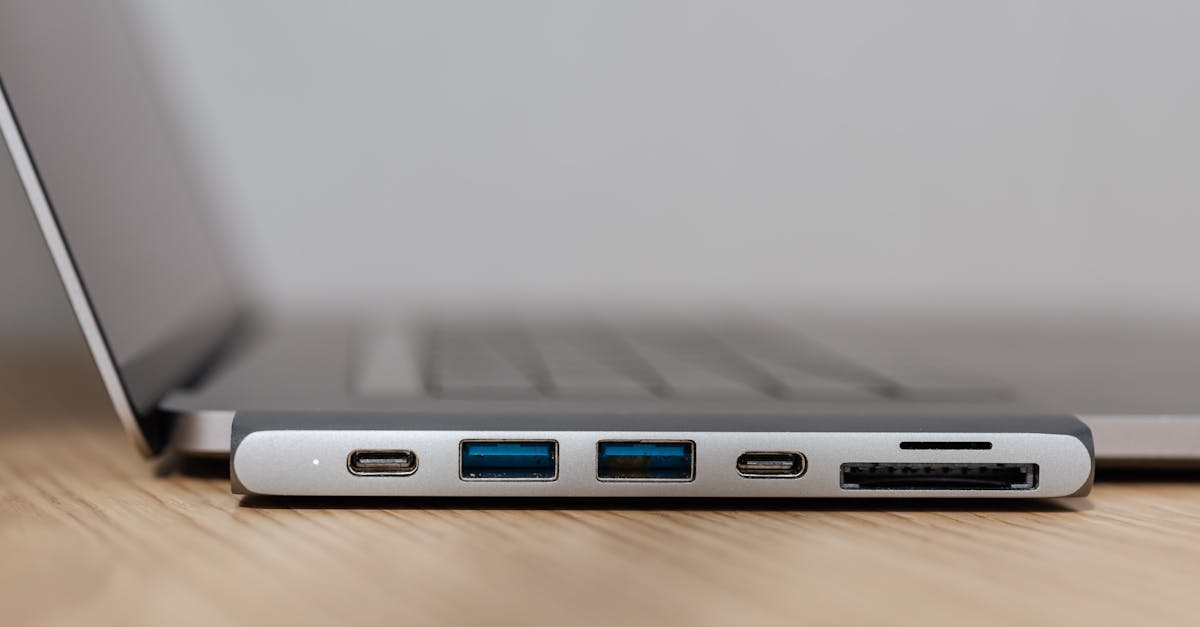
Introduction to USB-C Hubs and Docking Stations
As technology advances, the need for versatile and efficient connectivity solutions has become increasingly important. USB-C hubs and docking stations have emerged as essential accessories for modern devices, offering a range of benefits including expanded connectivity options, enhanced productivity, and convenient charging. In this article, we'll delve into the world of USB-C hubs and docking stations, exploring the top 8 picks for 2025 and providing a comprehensive buying guide for tech enthusiasts.
What to Look for in a USB-C Hub or Docking Station
When selecting a USB-C hub or docking station, there are several key factors to consider. These include the number and type of ports, charging capabilities, compatibility with various devices, and overall build quality. Additionally, features such as 4K display support, Ethernet connectivity, and SD card slots can greatly enhance the user experience. In the following section, we'll examine our top 8 picks for USB-C hubs and docking stations, highlighting their unique features and performance benchmarks.
Ranked List: Top 8 USB-C Hubs and Docking Stations
- Anker PowerExpand 13-in-1 USB-C Hub: This hub offers an impressive array of ports, including 2 USB-C, 4 USB-A, HDMI, Ethernet, and SD card slots. With a price tag of $69.99, it provides excellent value for its features and performance. Pros: comprehensive port selection, compact design. Cons: limited charging capacity (60W).
- CalDigit TS3 Plus: As a high-end docking station, the CalDigit TS3 Plus boasts 5 USB-A ports, 2 USB-C ports, HDMI, DisplayPort, and Ethernet. Priced at $249.99, it delivers exceptional performance and supports up to 85W charging. Pros: robust build quality, excellent charging capabilities. Cons: expensive, bulky design.
- Plugable USB-C Triple Display Docking Station: This docking station is designed for users who require multiple display support, with 2 HDMI ports and 1 DisplayPort. Available for $199.99, it offers a range of features including Ethernet and 6 USB-A ports. Pros: triple display support, excellent performance. Cons: limited USB-C ports, no SD card slot.
- StarTech USB-C Mini Docking Station: This compact docking station features 2 USB-A ports, HDMI, and Ethernet, making it an ideal choice for travelers. Priced at $49.99, it provides a convenient and portable solution for expanding device connectivity. Pros: compact design, affordable price. Cons: limited port selection, no SD card slot.
- OWC Thunderbolt 3 Dock: As a high-performance docking station, the OWC Thunderbolt 3 Dock offers 5 USB-A ports, 2 Thunderbolt 3 ports, and HDMI. Available for $299.99, it supports up to 85W charging and delivers exceptional performance. Pros: robust build quality, excellent charging capabilities. Cons: expensive, limited compatibility with non-Thunderbolt devices.
- Amazon Basics USB-C Hub: This budget-friendly hub features 3 USB-A ports, HDMI, and Ethernet, making it an excellent choice for users on a tight budget. Priced at $24.99, it provides a basic yet functional solution for expanding device connectivity. Pros: affordable price, compact design. Cons: limited port selection, no SD card slot.
- Google USB-C Digital to 3.5mm Headphone Adapter: This adapter is designed specifically for users who require a simple and compact solution for connecting headphones to their device. Available for $9.99, it provides a convenient and affordable solution for audio connectivity. Pros: compact design, affordable price. Cons: limited functionality, no additional ports.
- HyperDrive USB-C Hub for MacBook Pro: This hub is designed specifically for MacBook Pro users, featuring 2 USB-C ports, 2 USB-A ports, HDMI, and SD card slots. Priced at $99.99, it provides a range of features and excellent performance. Pros: comprehensive port selection, compact design. Cons: limited charging capacity (60W), expensive.
Comparison Table: Key Specs and Features
| Product | Price | Ports | Charging Capacity | Display Support |
|---|---|---|---|---|
| Anker PowerExpand 13-in-1 USB-C Hub | $69.99 | 2 USB-C, 4 USB-A, HDMI, Ethernet, SD card | 60W | Single 4K display |
| CalDigit TS3 Plus | $249.99 | 5 USB-A, 2 USB-C, HDMI, DisplayPort, Ethernet | 85W | Dual 4K displays |
| Plugable USB-C Triple Display Docking Station | $199.99 | 6 USB-A, 2 HDMI, DisplayPort, Ethernet | 60W | Triple 4K displays |
| StarTech USB-C Mini Docking Station | $49.99 | 2 USB-A, HDMI, Ethernet | 15W | Single 4K display |
| OWC Thunderbolt 3 Dock | $299.99 | 5 USB-A, 2 Thunderbolt 3, HDMI | 85W | Dual 4K displays |
| Amazon Basics USB-C Hub | $24.99 | 3 USB-A, HDMI, Ethernet | 15W | Single 4K display |
| Google USB-C Digital to 3.5mm Headphone Adapter | $9.99 | None | N/A | N/A |
| HyperDrive USB-C Hub for MacBook Pro | $99.99 | 2 USB-C, 2 USB-A, HDMI, SD card | 60W | Single 4K display |
Bottom Line: Quick Verdict
When it comes to selecting the best USB-C hub or docking station, there are several factors to consider. Our top pick, the Anker PowerExpand 13-in-1 USB-C Hub, offers an impressive array of ports and excellent value for its price. However, users who require more advanced features and higher charging capacities may prefer the CalDigit TS3 Plus or OWC Thunderbolt 3 Dock. Ultimately, the best USB-C hub or docking station will depend on individual needs and preferences.